


Level Up Your English Class with Flippity
Are you looking for a free, easy way to make your English Language Arts (ELA) lessons more exciting? Meet Flippity.net.
Flippity is a free website that turns simple Google Sheets into interactive games and tools. You don't need to be a tech expert to use it—if you can type in a spreadsheet, you can create a game!
Top 3 Flippity Tools for English Teachers

Flashcards: Perfect for vocabulary or literary terms. These aren't just plain text; they can "speak" the words aloud, which is great for pronunciation and helping English Language Learners (ELLs).
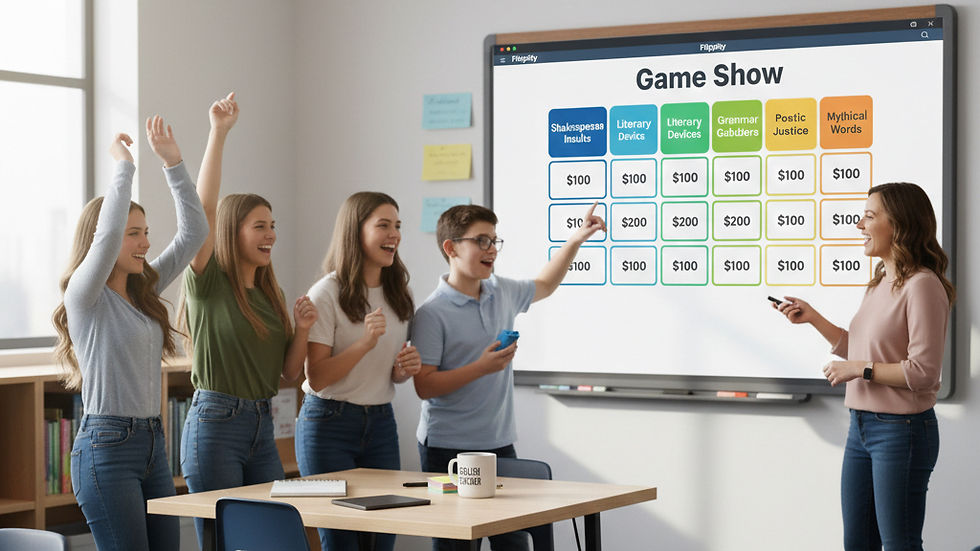
Game Show: Create a Jeopardy!-style board to review a novel before a big test. Categories could include "Characters," "Plot Twists," or "Vocabulary."

Random Name Picker: Put your students' names on a digital spinning wheel. Use it to fairly choose who reads the next passage or who starts the class debate.
Why Teachers Love It
It's 100% Free: No "Premium" versions or hidden costs.
No Student Logins: Just send your students a link, and they can start playing immediately.
Fully Customizable: You can update your word lists or questions in seconds just by changing a cell in your Google Sheet.
How to Get Started (The 3-Step Process)
Pick a Template: Go to Flippity.net and click "Instructions" under the activity you want.
Make a Copy: Follow the link to "Make a Copy" of the Google Sheet. Type your own words or questions into the yellow cells.
Publish and Play: Go to File > Share > Publish to Web. Then, click the "Get the Link Here" tab at the bottom of your sheet to find your game's URL.

Komentarze